


Showing posts with label art tutorials. Show all posts
Showing posts with label art tutorials. Show all posts
Tuesday, June 10, 2014
Jab Jab Whammo, now available at Amazon.com
So before I get into some shameless self promotion, I wanna take the time out to share some awesome tutorials by the very talented Anthony Jones. If your not familiar with his work, do yourself a favor and check it out here. I first heard of Anthony Jones through a 9-week Creature Design course that I signed up for over at the Schoolism site a few years ago. The course was awesome, I learned tons and have been following Anthony's work ever since. Anthony has put together a series of very affordable tutorials , and from the sounds of it he intends on adding a bunch more. I picked up Designing with confidence, Painting with confidence, Zbrush to Photoshop workflow, And Kitbashing your own Paintings. They are all awesome, so head on over there and pick them up. You won't be disappointed. You can check out the Videos Here. I forgot to mention he includes all the files, tools etc. that he uses.
Now for some self love :) My art book Jab, Jab, Whammo is now available through the Amazon marketplace. You can check that out here. Good father's Day gift I must say, perfect for toilet reading :) So feel free to help spread the word about Anthony's tutorials and my book of course. Sharing is caring you know. You can preview a sample of the book below, and I also added a nifty little animated Gif of some progress shots of a painting of Italian Actress Gina Lollobrigida that I am working on. I'll be posting the finished piece soon, so be sure and check back. Thanks for stopping by, Enjoy!!!!


Saturday, January 12, 2013
Indiana Jones Caricature Tutorial
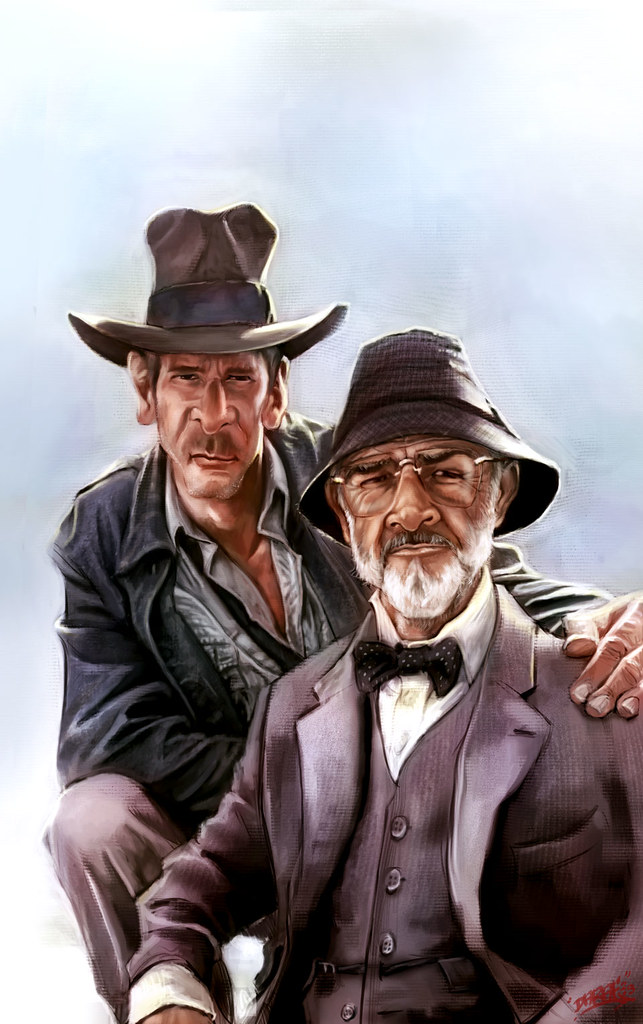
I have been asked by several people about my process on how I do a caricature, so I have decided to save some process shots of my caricature of Indiana Jones (Harrison Ford) and his Dad (Sean Connery) from the movie Indiana Jones and The Last Crusade to help me explain how I approach a piece like this. This was done in Photoshop cs6 and Corel Painter 12. Now I still consider myself to be a student of art myself and am always looking to experiment and learn, but I will try my best to articulate how I do what I do, and I hope it is a help to someone out there.
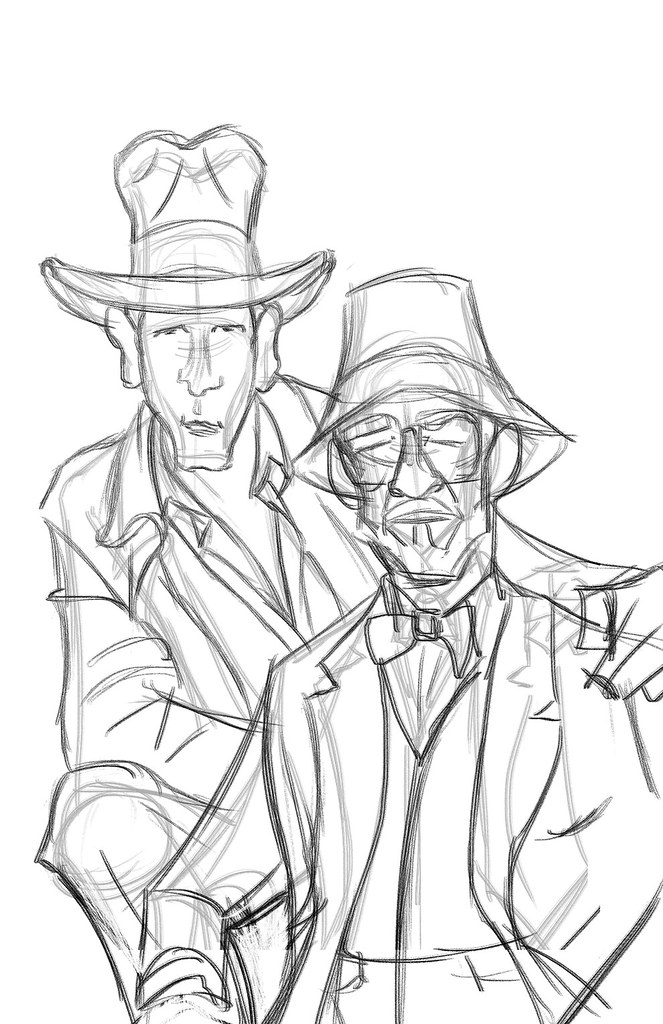
 1) Make Your Mark: The clear white page can be intimidating, but you need to strike all negativity from your mind at this point and start to make marks in a confident fashion. I start to draw my subjects and since this is a caricature I focus mainly on the shapes of heads and bodies of the reference pics and source material and keeping in mind how those shapes can help to exaggerate the subjects yet still convey clearly who and what they are.
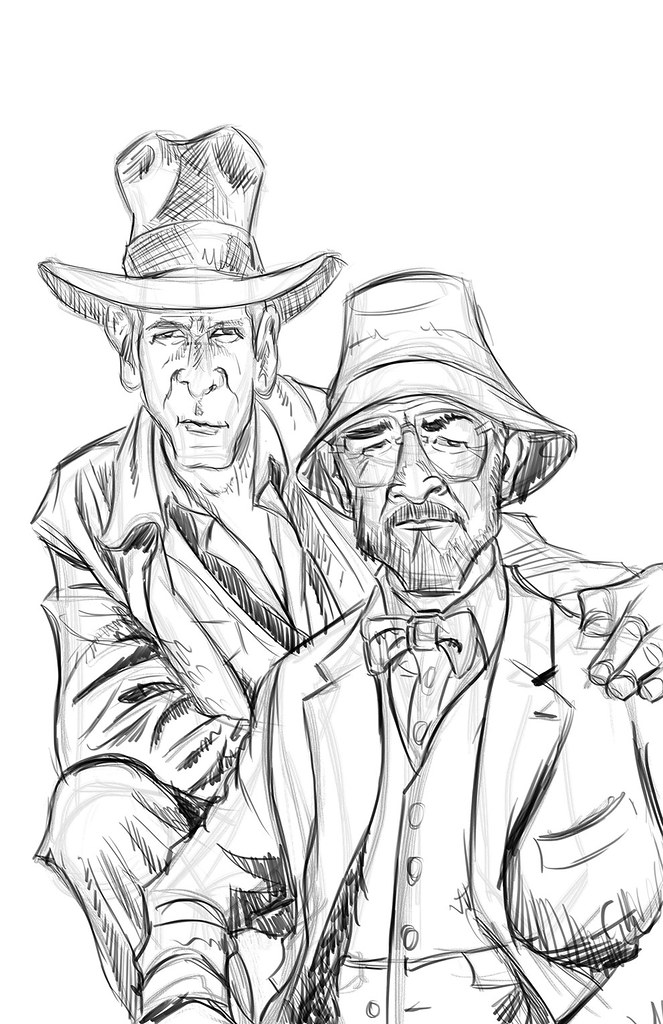
 2) Refining The Sketch: The initial sketch is done on auto pilot, meaning very loosely. As soon as I feel I start to get a likeness I lower the opacity of the initial sketch, make a layer above the sketch layer and start to refine the sketch and add details to the drawing.
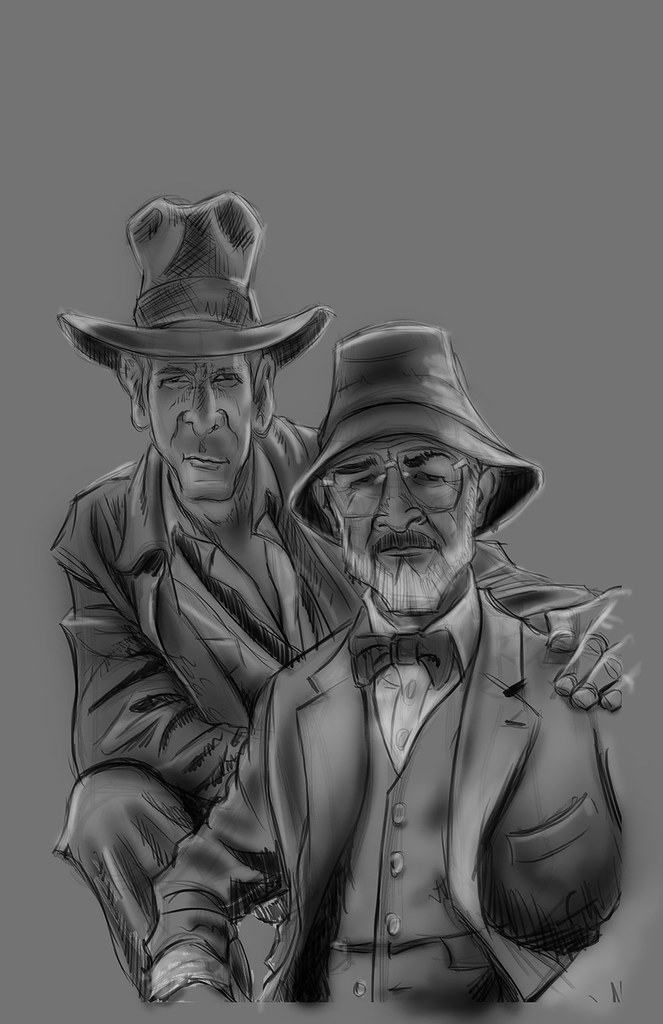
 3)Basic Shading: Once I feel comfortable with the sketch I decide to tone the canvas and start in on the shading. I do this by setting the sketch layer to multiply and creating a new layer underneath the sketch layer that I fill with a medium grey tone. i then use a soft airbrush to start shading the piece according to the reference material, adding darks and lights as I see fit. I work with a big brush and stay zoomed out concentrating on the big overall shapes and not the finer details at this point. It helps to squint the eyes at your source material to see where the shadow shapes and the light shapes belong.
 4)light Pass: After the basic shading I decide to do a quick light pass in a similar fashion. Still zoomed out, still squinting the eyes, and still very loose. I also start to slowly pop the main subjects out from the background with lighter tones.
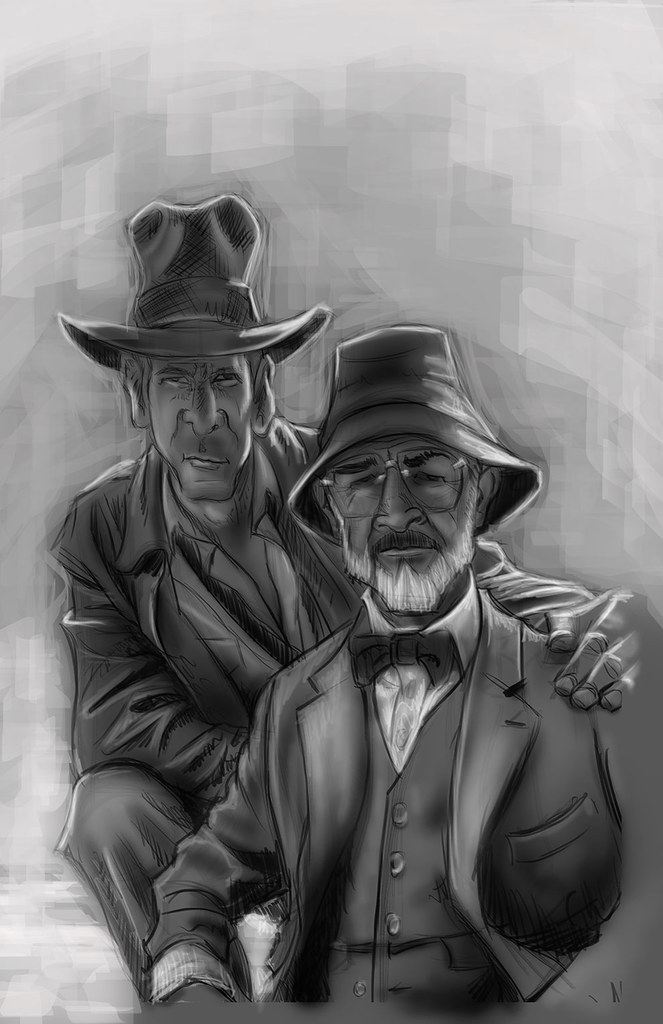 5)Tighten up the tonal values: Now I start to zoom in and pay more attention to details, still working in greyscale. up until now I worked pretty quickly, but now I start to slow down a bit and clean things up quite a bit. I also switch over from photoshop to painter to experiment with paper textures and different brushes.
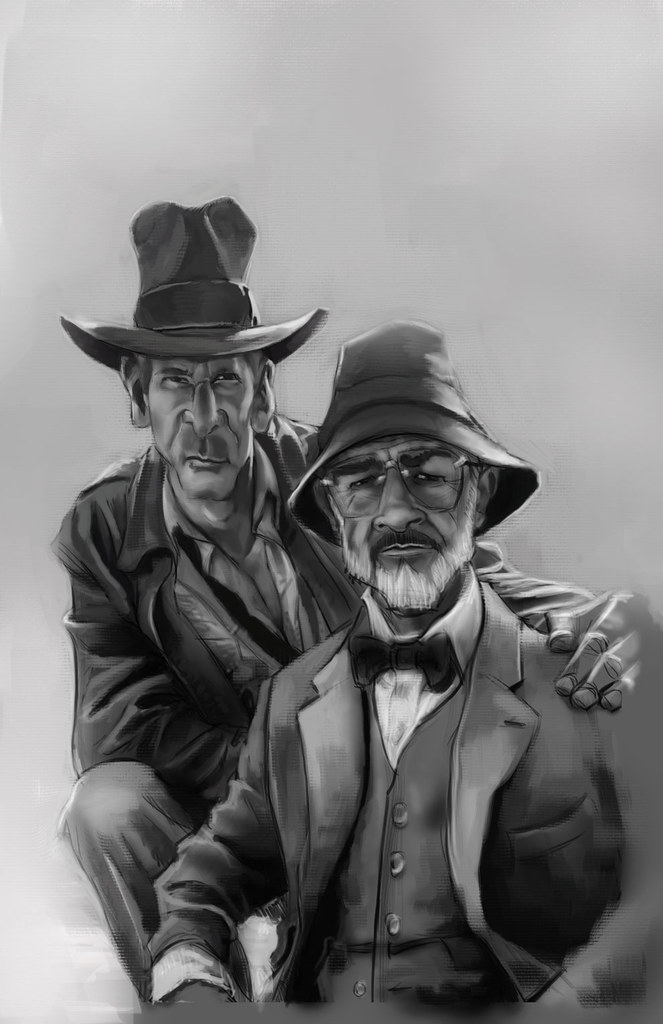 6)Starting to lay down the color: I now go back to photoshop and create new layers set to overlay and color, to start blocking in the initial color adding more details as I see fit.
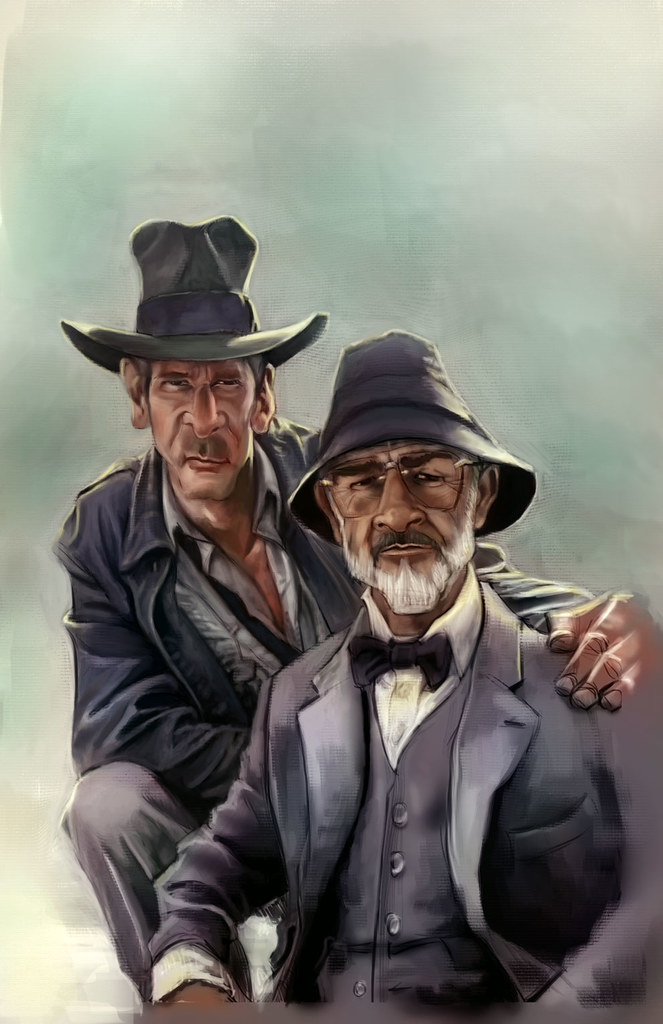 7)At this point I decide to add some subtle photo textures to enhance the piece. I also adjust the colors and the contrast to my liking. I have to take a great deal of artistic license at this point because my reference pic is not of very good quality.
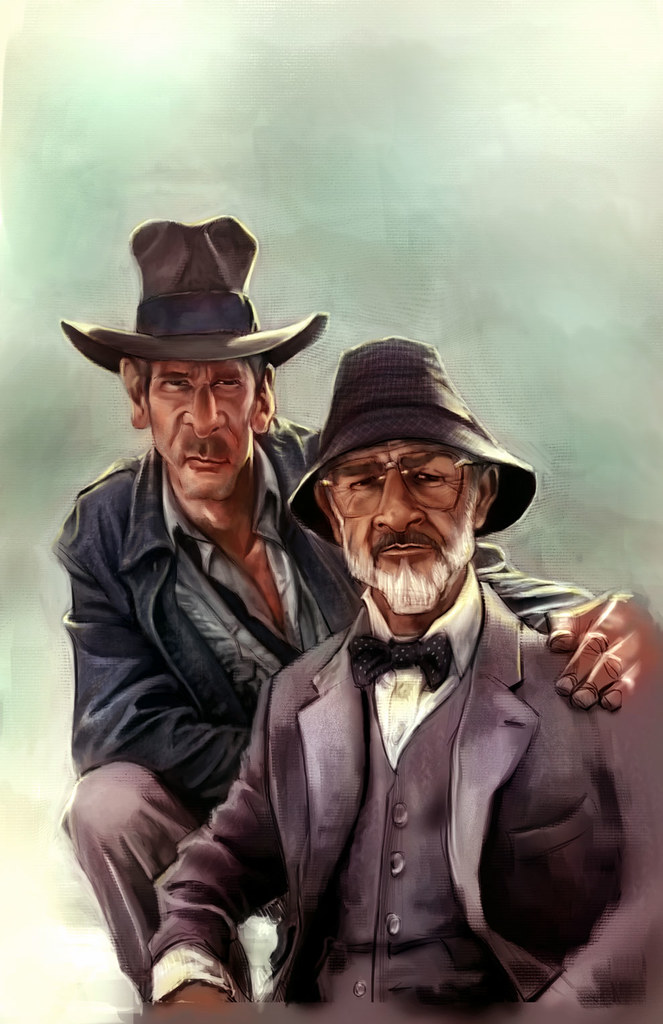 8)The Devil is in the details: Now I take as long as I need moving things around, altering the colors and zooming in to detail the piece. This is the most tedious and long step of them all, refining and polishing till it is done. It can also be the most fun. I keep most of the detail on the faces and parts of the clothing, but the rest is left very sketch, because I want the eyes of the viewer to be drawn to the characters faces.
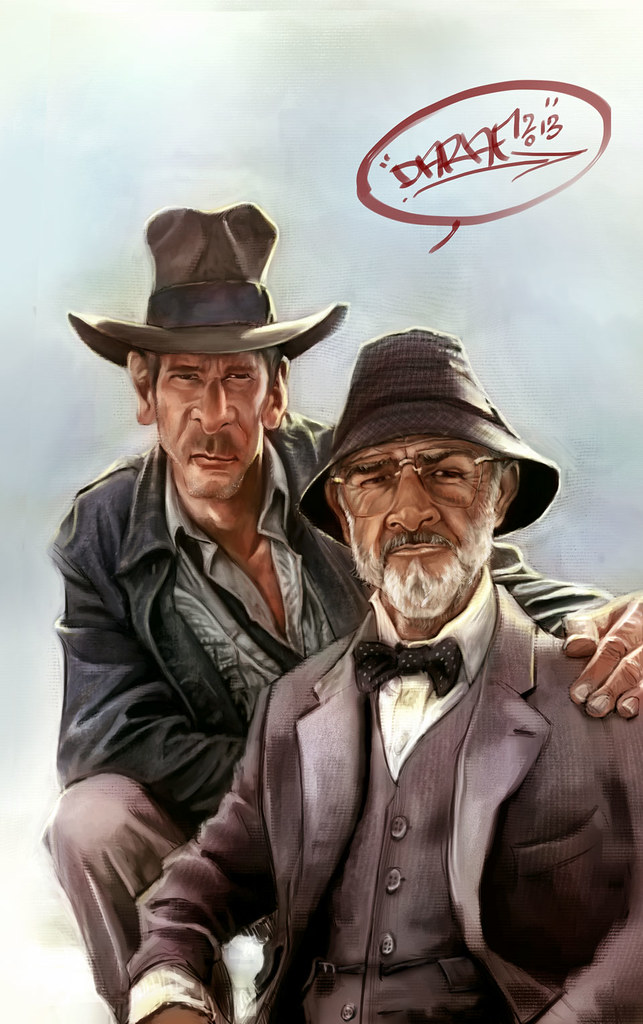 9) Done: For now i call it a wrap. I do some last minute details and give it the ole' John Hancock. Thanks for stopping by, I hope you have enjoyed this mini tutorial and much as i have have enjoyed working on it. If you have any questions feel free to ask me and I will do my best to answer them.
1) Make Your Mark: The clear white page can be intimidating, but you need to strike all negativity from your mind at this point and start to make marks in a confident fashion. I start to draw my subjects and since this is a caricature I focus mainly on the shapes of heads and bodies of the reference pics and source material and keeping in mind how those shapes can help to exaggerate the subjects yet still convey clearly who and what they are.
2) Refining The Sketch: The initial sketch is done on auto pilot, meaning very loosely. As soon as I feel I start to get a likeness I lower the opacity of the initial sketch, make a layer above the sketch layer and start to refine the sketch and add details to the drawing.
3)Basic Shading: Once I feel comfortable with the sketch I decide to tone the canvas and start in on the shading. I do this by setting the sketch layer to multiply and creating a new layer underneath the sketch layer that I fill with a medium grey tone. i then use a soft airbrush to start shading the piece according to the reference material, adding darks and lights as I see fit. I work with a big brush and stay zoomed out concentrating on the big overall shapes and not the finer details at this point. It helps to squint the eyes at your source material to see where the shadow shapes and the light shapes belong.
4)light Pass: After the basic shading I decide to do a quick light pass in a similar fashion. Still zoomed out, still squinting the eyes, and still very loose. I also start to slowly pop the main subjects out from the background with lighter tones.
5)Tighten up the tonal values: Now I start to zoom in and pay more attention to details, still working in greyscale. up until now I worked pretty quickly, but now I start to slow down a bit and clean things up quite a bit. I also switch over from photoshop to painter to experiment with paper textures and different brushes.
6)Starting to lay down the color: I now go back to photoshop and create new layers set to overlay and color, to start blocking in the initial color adding more details as I see fit.
7)At this point I decide to add some subtle photo textures to enhance the piece. I also adjust the colors and the contrast to my liking. I have to take a great deal of artistic license at this point because my reference pic is not of very good quality.
8)The Devil is in the details: Now I take as long as I need moving things around, altering the colors and zooming in to detail the piece. This is the most tedious and long step of them all, refining and polishing till it is done. It can also be the most fun. I keep most of the detail on the faces and parts of the clothing, but the rest is left very sketch, because I want the eyes of the viewer to be drawn to the characters faces.
9) Done: For now i call it a wrap. I do some last minute details and give it the ole' John Hancock. Thanks for stopping by, I hope you have enjoyed this mini tutorial and much as i have have enjoyed working on it. If you have any questions feel free to ask me and I will do my best to answer them.
Friday, November 11, 2011
Concepteez Magazine issue 2
I would like to thank the crew involved in putting this issue together for asking me to display some of my art. I have a double page spread and a few other pieces of art in this issue of Concepteez Magazine. You can download a free issue by clicking on the image below. The first issue is a free dwnload also, there are some great tutorials and inspiring art from artist all over the world, so be sure and check it out.
Concepteez Mag Issue 2 by ~concepteez on deviantART
Concepteez Mag Issue 2 by ~concepteez on deviantART
Saturday, November 5, 2011
Caricature demo
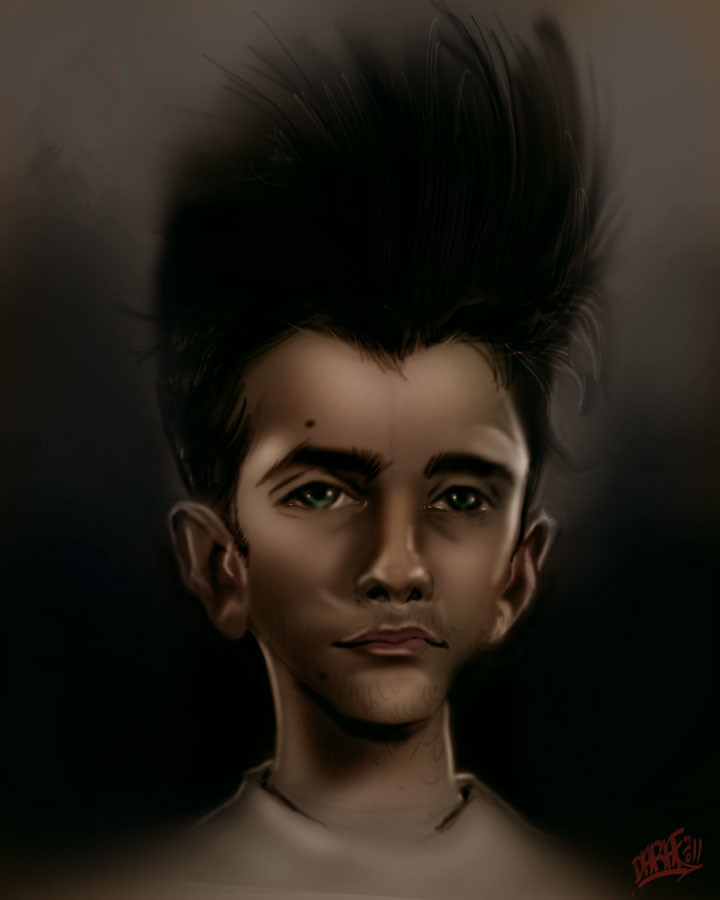
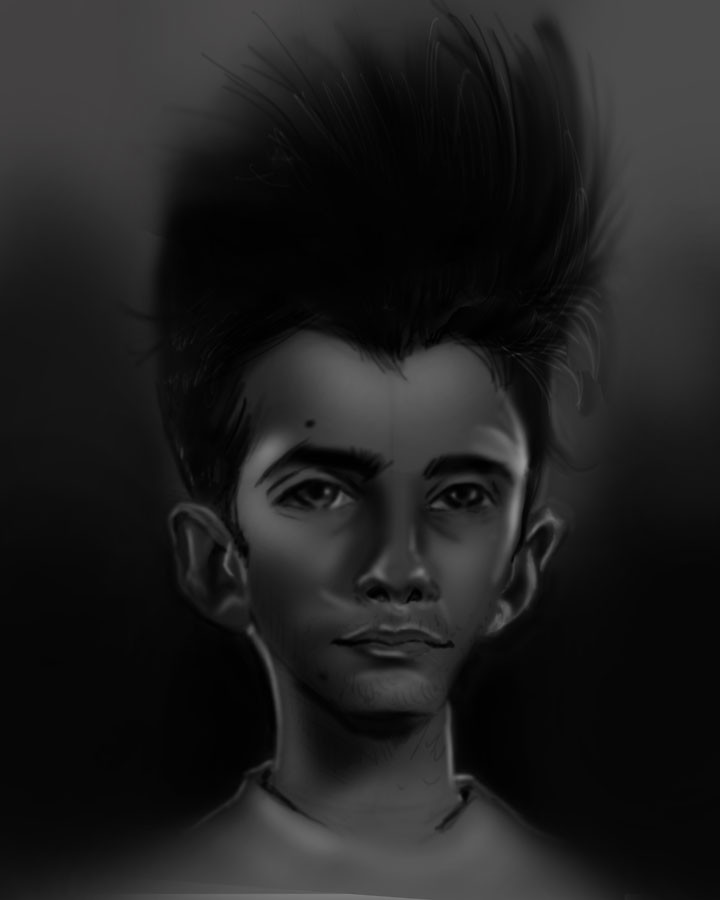
Quick caricature demo I did for my artist friend, Ricky Ranson at work today. Not paying attention to proportions, but showing him my techniques. This took about 30-40 minutes in photoshop using nothing but a soft air brush. From here I would fix all the proprtions, tighten things up and maybe texture. It was enough for now to give the artist the basic starting point to working this way.
Thursday, July 28, 2011
Z-brush experiment
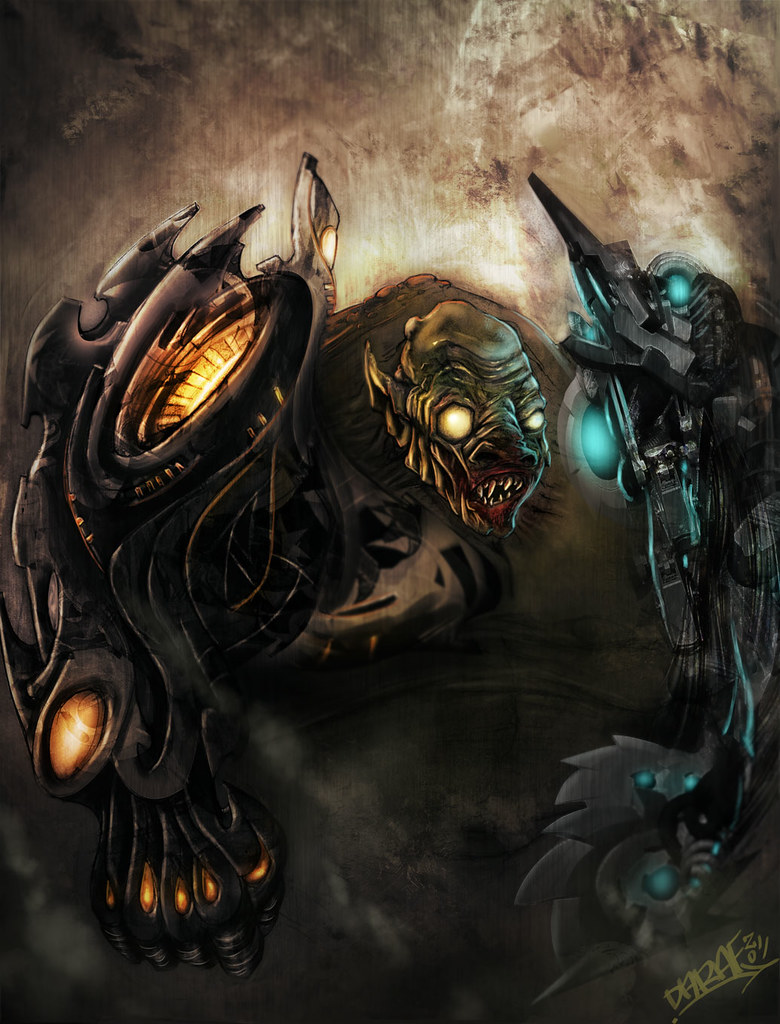
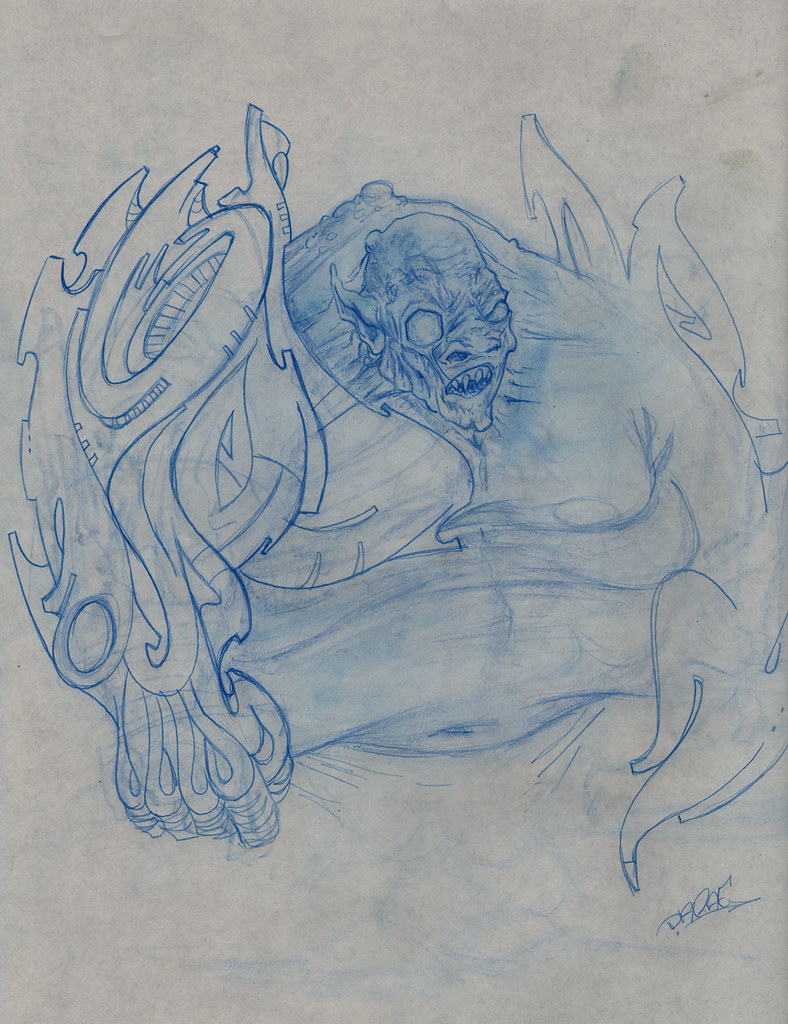
This started out as a sketch where I used some Graffiti inspired shapes for the arm of this Goblin/ Orc character. I decided to explore further using some techniques from a z-brush tutorial from the talented Andrew Jones of Conceptart.org and Massive Black fame and also a custom brush tutorial by Alex Ruiz of Concept Monster.com Lots of happy accidents occurred playing around with a combination of the two techniques and a mix between having some direction and complete chaos style painting.
Subscribe to:
Posts (Atom)
About Me
- DARAF
- I am an Art Director/ freelance illustrator working in the Movie, Comics and Gameing industries. I have also provided graphics for advertisement companies and clothing companies. I am Currently working as Lead Artist for Soul Interface Studios (SIS) and always willing to discuss exciting new opportunities.